Your calendar knows more than you think
Your calendar is a map of your organizing relationships. A guide to shared group calendars, scheduling tools, and the privacy trade-offs that come with each.

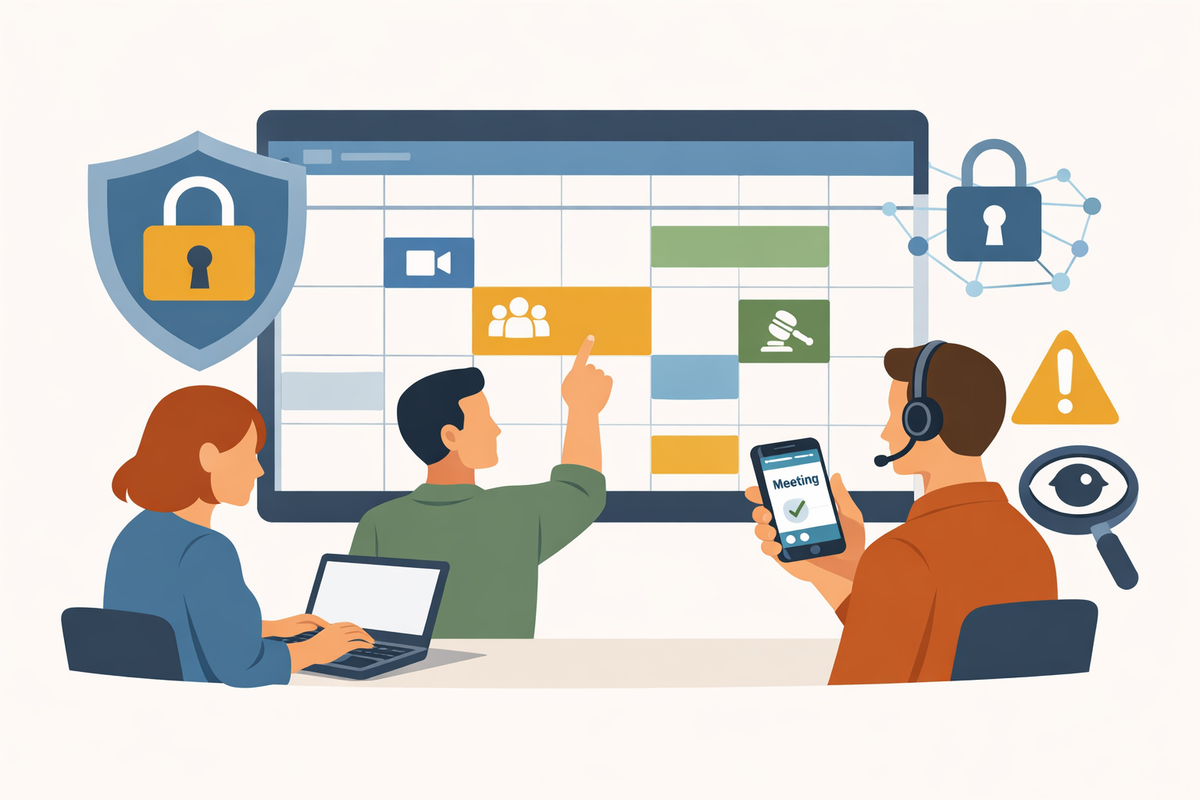
Think about what lives on your calendar. Who you meet with, and when. Which coalitions you're coordinating with. When your chapter holds strategy sessions. Who's connected to whom. A calendar isn't just a scheduling tool — it's a map of your organizing relationships, and most organizers have handed that map to Google or Microsoft without a second thought.
This isn't an argument against using those tools. For most organizing contexts, the convenience of Google Calendar is a reasonable trade-off. But it's worth understanding what you're trading, what the alternatives are, and — more practically — how to build shared calendar infrastructure that helps a distributed organizing network actually coordinate.
This article covers two things: group shared calendars (for keeping a team or chapter synchronized) and scheduling tools (for coordinating meeting times across organizations or with the public). They're different problems with different solutions, and conflating them leads to choosing the wrong tool for the job.
What your calendar platform knows
When you use Google Calendar or Microsoft Outlook, those companies can see the metadata of your calendar — event titles, attendees, locations, times, and notes, depending on what you enter. This is different from the encryption-in-transit protection those platforms provide for data traveling between your device and their servers. Once your event data lands on their servers, they have access to it.
For most meetings, that's not a meaningful concern. For organizing work — coalition building, legal strategy, direct action planning, anything that might attract government or corporate scrutiny — it's worth knowing that your calendar is a record, and it lives on someone else's infrastructure.
The same US CLOUD Act that can compel American tech companies to hand over email or meeting content also applies to calendar data. If you've read our earlier pieces on communication infrastructure and secure video conferencing, the pattern is familiar: the default tools are convenient, but they're not neutral.
Part one: shared group calendars
A shared group calendar solves a specific problem: keeping everyone in an organization or chapter aware of what's happening, when, and who's responsible. It's distinct from your personal calendar. Its purpose is collective visibility — events that belong to the group, not just to the individual who scheduled them.
Here's what actually matters when choosing one for an organizing context:
Who needs to see it, and do they need an account? Some shared calendars require every viewer to have an account. Others can be shared via a public or semi-public link. For a chapter with active members who can all sign up for something, accounts are fine. For a public-facing event calendar embedded on a website, you need something link-accessible.
Who can edit, and what happens when someone leaves? This is the infrastructure question that most organizers don't ask until it's a problem. If your shared calendar lives in one person's Google account and they leave the organization, you may lose admin access to it. Good shared calendar infrastructure is held by a role or organization account, not an individual.
What does it reveal? Even internal shared calendars can expose sensitive information. An event titled "Legal strategy session — [name]" or "Debrief: [action name]" tells a story. Think about what you title events, especially on any calendar shared broadly.
Google Calendar
Google Calendar is the de facto standard for shared calendars in most volunteer organizations, and for good reason: it's free, nearly universal, and integrates with everything. If your organization already uses Gmail or Google Workspace, shared calendars are easy to set up and maintain.
Free tier: Fully functional shared calendars with any Google account. Multiple shared calendars, granular permission controls (view-only, edit, or manage), and the ability to share via link or direct invite.
Paid: Google Workspace plans start at around $6/user/month and add shared resources (meeting rooms, equipment), organizational-level calendar policies, and more granular admin controls. For most volunteer organizing groups, the free tier is sufficient.
Key features: Excellent interface, strong mobile apps, easy integration with Google Meet for video links, and the ability to embed a public calendar on a website. Shared calendars can be overlaid in a single view, color-coded, and filtered.
Privacy: Google can access your calendar data, including event titles, descriptions, attendees, and locations. Calendar data is part of Google's broader data ecosystem and is subject to US CLOUD Act jurisdiction. For most organizing calendars — chapter meetings, canvassing schedules, public events — this is an acceptable trade-off. For sensitive coordination, it warrants more thought.
Practical note: Create shared organizational calendars under a dedicated Google account (something like yourchapter@gmail.com) rather than a personal account. This keeps the calendar institutional rather than personal, ensures access survives leadership transitions, and prevents your personal events from being visible to the whole team.
Proton Calendar
Proton Calendar is the privacy-first alternative for organizations that want shared calendar infrastructure without handing their schedule to Google. It's end-to-end encrypted by default — event titles, descriptions, locations, and attendees are all encrypted, and even Proton cannot read them.
Free tier: Up to 3 calendars. Shared calendars (with E2EE) require a paid plan for full functionality.
Paid: Proton plans start at around $3.99/month for individuals; Proton Workspace for teams starts at $13/month and includes shared calendar access, Proton Meet integration, encrypted email, and Drive.
Key features: End-to-end encrypted event data, shared calendars with view or edit permissions (up to 49 members per shared calendar), public link sharing for broader visibility, and tight integration with Proton Meet for scheduling encrypted video calls. Can import from Google Calendar and sync with external calendar clients via CalDAV.
Privacy: The strongest privacy story of any major calendar platform. Calendars shared between Proton users are fully end-to-end encrypted. Calendars shared via public link use zero-access encryption — Proton can't read the content, but the encryption model is slightly different. Based in Switzerland, outside US CLOUD Act jurisdiction.
Honest caveats: The interface is capable but not as polished as Google Calendar. Shared calendar access is currently managed via the web app only (not mobile). For teams fully committed to the Proton ecosystem — Proton Mail, Proton Meet, Proton Drive — this is a natural fit and the pieces work well together. For organizations that are deeply embedded in Google Workspace, switching just the calendar adds friction without eliminating the underlying data exposure (since your contacts, emails, and documents are still on Google).
Best for: Organizations already using or migrating to Proton's privacy suite; leadership calendars containing sensitive meeting information; any calendar where event titles and attendee lists could be sensitive.
Teamup
Teamup is a purpose-built shared calendar for groups and organizations — not a repurposed personal calendar with sharing tacked on. It's worth knowing about because it solves some organizational problems that Google Calendar handles awkwardly.
Free tier: Basic shared calendar for up to 8 sub-calendars and limited users. Functional for small organizations.
Paid: Plans from around $8/month for small teams up to $24/month for larger organizations. Pricing is per calendar, not per user — which matters for volunteer organizations with many members.
Key features: Multiple sub-calendars within a single shared calendar (by team, event type, geography, etc.), granular permission controls by sub-calendar, access via link without requiring an account, the ability to share different views with different stakeholders, and embeddable calendar pages for websites.
Privacy: US-based, standard encryption-in-transit. Not end-to-end encrypted. Teamup is a straightforward calendar service without a surveillance business model — no ads, no data harvesting for marketing — but your calendar data is accessible to them and subject to US law.
Best for: Organizations that need to coordinate multiple teams or event types within a single shared view — a state coalition managing multiple chapters, or an organization running parallel workstreams. The per-calendar pricing model (rather than per-user) can be more economical for large volunteer networks. Also useful for public-facing event calendars embedded on websites.
Part two: scheduling tools
Scheduling tools solve a different problem than shared calendars. Where a shared calendar gives a team visibility into collective events, a scheduling tool answers the question: "When can we find a time that works for everyone?"
There are two flavors worth distinguishing:
Appointment booking tools (Calendly, Cal.com, Proton Calendar's booking page): You share a link; the other person picks from your available slots. Good for one-on-one meetings, constituent calls, coalition partner check-ins, or office hours.
Group availability polls (Doodle, When2meet): You propose several time options; participants indicate which work. Good for finding a meeting time when you don't control everyone's calendar.
Calendly
Calendly is the dominant appointment booking tool and works well for its intended purpose. You connect it to your Google, Outlook, or other calendar; it reads your availability and lets others book open slots, generating a meeting link automatically.
Free tier: One active event type (meeting format). Unlimited bookings within that type.
Paid: Standard plan at around $10/user/month for multiple event types, team scheduling, and integrations. Teams plan at around $16/user/month adds round-robin routing and collective scheduling.
Key features: Polished booking experience for the person scheduling with you, automatic calendar blocking, reminder emails, and integration with Zoom, Google Meet, and other video platforms for auto-generated meeting links.
Privacy: Calendly is a US company subject to CLOUD Act jurisdiction. It collects your availability data and your contacts' booking data (names, email addresses, sometimes notes). This isn't sensitive in most contexts — but think about what a booking page reveals: if your Calendly shows "Coalition strategy call" or "Subpoena response planning" as event types, you've published a piece of your organizing structure. Use generic event type names for anything sensitive.
Best for: One-on-one scheduling with coalition partners, constituent calls, or recurring external meetings where convenience matters. Not a group calendar; not appropriate for internal team scheduling with sensitive event types.
Cal.com
Cal.com is the open-source alternative to Calendly, and it's worth knowing about for privacy-conscious organizations. The code is publicly auditable, and organizations with technical capacity can self-host it — meaning your scheduling data stays on your own infrastructure.
Free tier: Generous free cloud tier with unlimited bookings. The cloud-hosted version runs on US infrastructure.
Self-hosted: Free if you have technical capacity to run it. Self-hosting gives you full data ownership and is the configuration that delivers the real privacy advantage. Requires DevOps capacity to set up and maintain.
Paid (cloud): Plans start at $12/user/month for teams and advanced features.
Key features: Comparable to Calendly for one-on-one and team scheduling, with strong API access and customization options. The self-hosted version is a full-featured platform with no per-seat licensing cost.
Best for: Organizations with technical capacity who want open-source scheduling infrastructure they control. For organizations without that capacity, the cloud version offers Calendly-comparable functionality; the privacy advantage over Calendly is only realized through self-hosting.
Proton Calendar booking pages
Proton Calendar includes a built-in appointment scheduling feature — a public booking page where people can schedule time with you, with confirmed meetings added directly to your Proton Calendar and a Proton Meet link generated automatically.
Free/Paid: Available with Proton plans. The booking page feature is included in paid Proton plans.
Key features: Privacy-first booking that keeps the entire scheduling and meeting pipeline within the Proton ecosystem — encrypted calendar, encrypted meeting. The booking page itself collects the booker's name and email, which are handled according to Proton's privacy standards.
Best for: Organizations already in the Proton ecosystem who want scheduling that connects directly to encrypted meetings. Fewer features than Calendly, but a cleaner privacy story for the whole chain: encrypted calendar → encrypted booking → encrypted meeting.
Doodle
Doodle is the go-to tool for group scheduling polls — when you need to find a time that works for several people who don't all share a calendar.
Free tier: Basic polls with time slot voting. Ads on the free tier.
Paid: Around $6.95/user/month for ad-free, calendar integration, and meeting booking features.
Key features: Simple poll creation — you propose time slots, participants check which ones work, Doodle shows the best overlap. No account required for participants to vote (just a name and email). Calendar integration for hosts on paid plans.
Privacy: Doodle is based in Switzerland (same jurisdiction as Proton), which gives it stronger privacy protections than US-based alternatives. Standard encryption-in-transit; not end-to-end encrypted. Participant names and email addresses are collected for poll invitations.
Best for: Finding a time for a coalition call, a multi-organization planning session, or any meeting where participants don't share a calendar and you need a quick consensus on timing. Not a calendar; not an ongoing scheduling tool.
When2meet
When2meet is the stripped-down, free, no-account-required group availability tool. It's been around for years and remains useful precisely because of how simple it is.
Free: Completely free. No account required for anyone.
Key features: Create a grid of time slots, share a link, participants fill in their availability by clicking. Instantly shows where overlap exists. No calendar integration, no reminders, no bells or whistles.
Privacy: Minimal data collection. Participants enter a name and fill in a grid — that's it. No email address required, no account. The simplest privacy story of anything in this article.
Best for: Quick group scheduling for a single meeting with volunteers or chapter members who don't need to create accounts or share personal information. Not suitable for recurring scheduling needs or anything requiring reminders or follow-up.
Putting it together
The right calendar infrastructure for an organizing group isn't one tool — it's usually two or three, matched to different functions:
A shared team calendar gives your chapter or coalition visibility into what's happening. Google Calendar is the practical default; Proton Calendar is the right choice if event content is sensitive or you're committed to a privacy-first stack. Teamup is worth considering if you're coordinating multiple teams or need a public-facing event calendar.
A personal scheduling tool reduces the back-and-forth of booking individual meetings. Calendly handles this well for most purposes. For organizations invested in the Proton ecosystem, Proton Calendar's booking page keeps the whole pipeline encrypted. Cal.com is the option for organizations that want open-source infrastructure and have the technical capacity to self-host.
A group availability poll — Doodle or When2meet — solves the specific problem of finding a time across a group that doesn't share a calendar. Keep a link handy; you'll use it more than you think.
One structural note that applies to all of these: shared infrastructure should be held by the organization, not by an individual. Create accounts under a chapter email address, not a personal one. Document who has admin access and what the handoff process looks like. Your calendar infrastructure, like your email list, is part of what the organization owns — and it should survive any single person's departure.
The bigger picture
Your calendar is a record of your organizing relationships — and most of us have placed that record with companies whose business interests don't align with protecting it. For most organizing calendars, the convenience of Google Calendar is worth the trade-off, and naming your events thoughtfully goes a long way. For the calendars that contain sensitive information — who you're coordinating with, what you're planning, when you're meeting with legal counsel — the infrastructure choice matters more.
The good news is that the options are better than they've ever been. Proton Calendar provides genuinely private shared calendar infrastructure at a reasonable cost. When2meet handles anonymous group availability polling at no cost and with no data collection. And a little intentionality about what you name your events and where you keep your most sensitive schedules goes further than any tool switch.